Free layer-based texture painting

A free alternative to Substance Painter, in your browser.

Pawlette brings the layer-based texturing workflow to the browser: paint and fill layers, smart masks, whole-material brushes and engine-ready export. No subscription, no install and no account.

  • No subscription, every feature free
  • Runs on Windows, Mac, Linux and iPad
  • Exports for Unity, Unreal and glTF
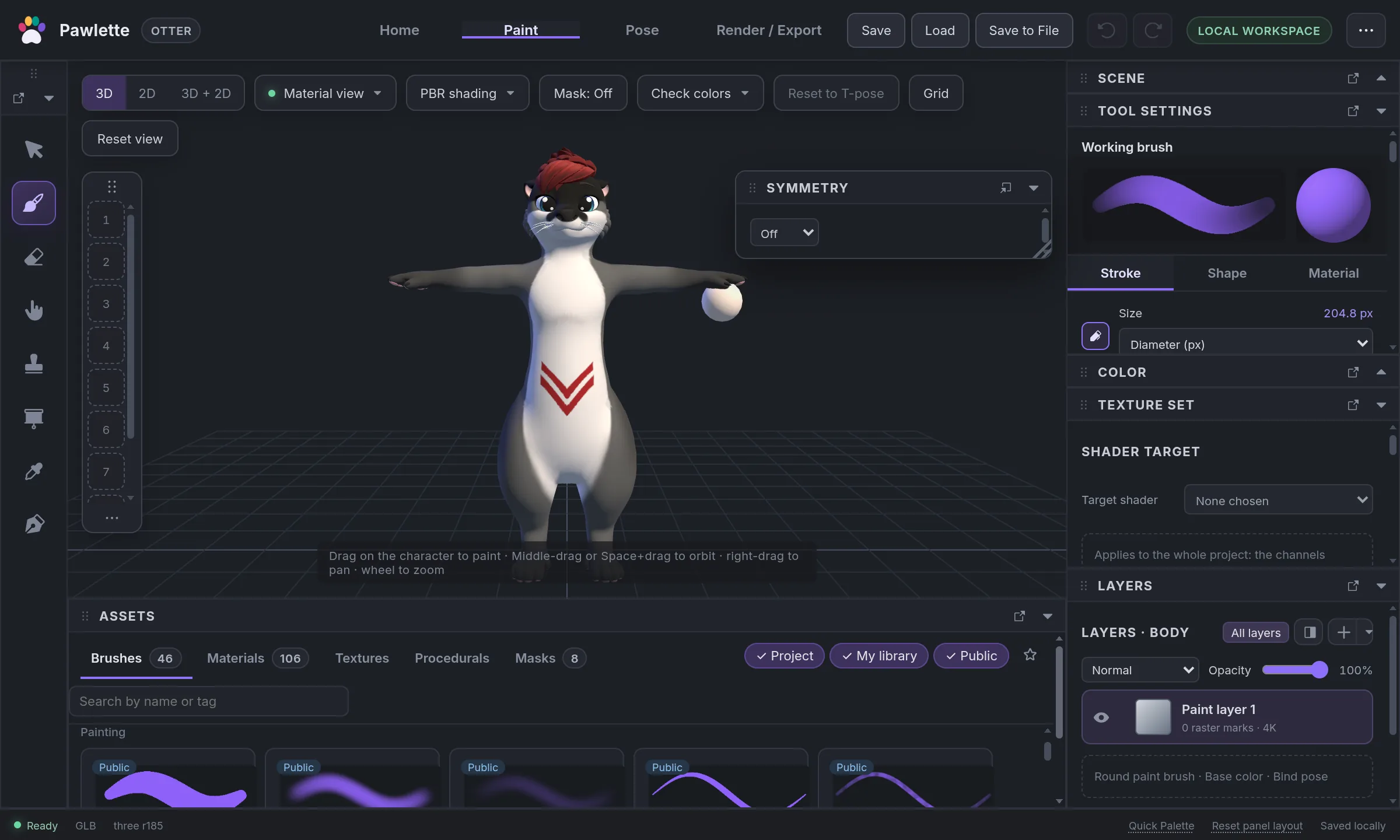
The Pawlette editor: tool rail on the left, a river otter with a red chevron in the 3D viewport, the Scene, Tool Settings, Color, Texture Set and Layers panels on the right, and the Assets drawer below.
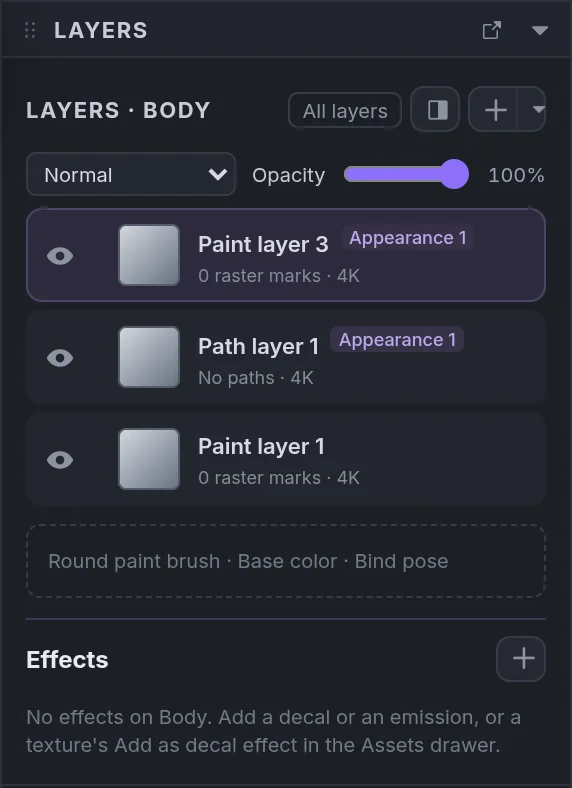
The Layers panel for the Body texture set: the add-layer button and menu, blend mode and opacity, two paint layers and a path layer, two of them tagged Appearance 1, and the empty Effects section.
Layers

The non-destructive stack you are used to

Every material is a texture set with its own layer stack. Fill layers place a texture or material by projection and stay editable; masks decide where each layer shows.

  • Paint, fill and vector path layers, folders and clipping
  • UV, tri-planar, planar, cylindrical, spherical and warp fills
  • Smart masks with curvature and ambient occlusion generators
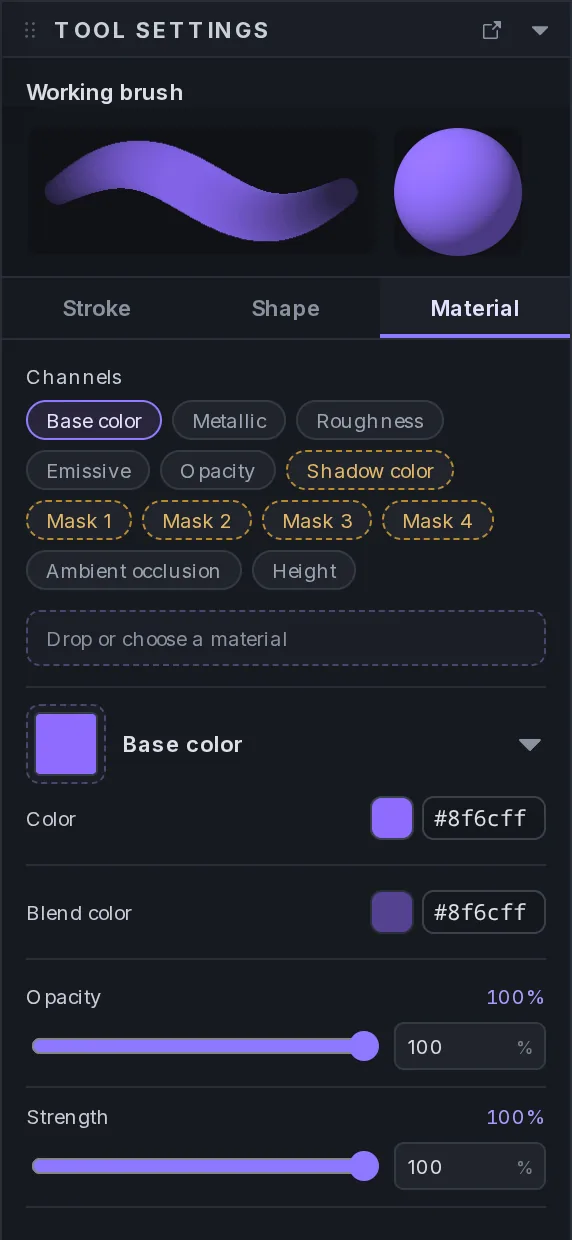
Tool Settings, Material tab: channel chips for base color, metallic, roughness, emissive, opacity, masks, ambient occlusion and height.
Materials

Brushes that paint every channel at once

One stroke lays down color, roughness, metallic, emissive and height together, up to 12 channels. Paint height and the normal map is built from it.

  • Choose which channels each brush affects
  • Import Photoshop .abr brushes
  • Mirror and radial symmetry, in 3D and on the UV layout
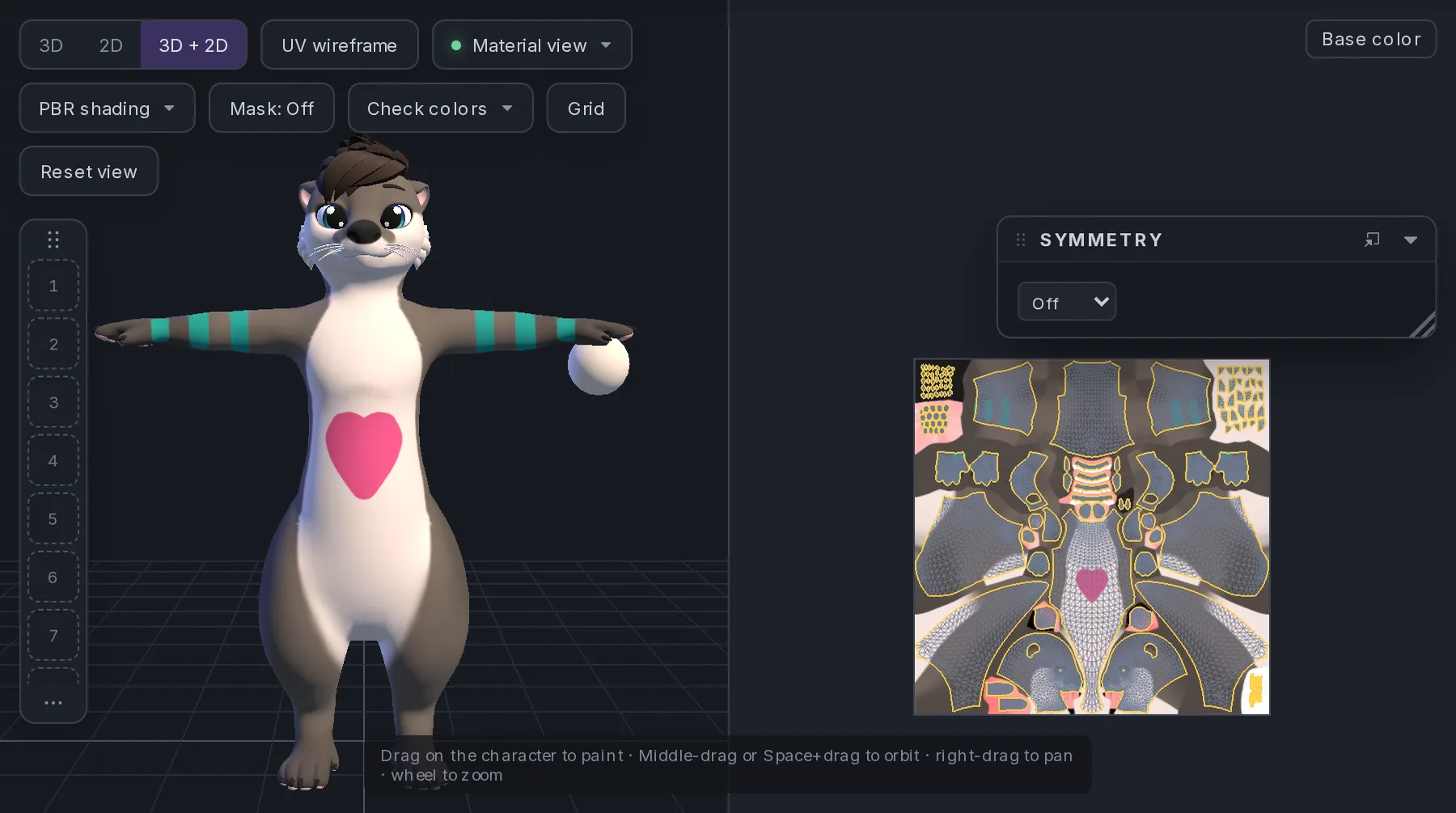
The 3D + 2D view: the painted otter on the left and its texture laid out flat with the UV wireframe on the right.
Export

Textures ready for your engine

Built-in templates pack channels for Unity Standard, Unreal Engine (ORM with a DirectX normal) and glTF, plus Poiyomi and Quest for VRChat. Or build your own packing template.

  • 1K, 2K or 4K per texture set
  • Any single channel as a PNG
  • Paint in 3D, flat in 2D, or both side by side

Why Pawlette exists

I bought Substance Painter outright, back when you could. But anyone on a newer version or the subscription makes project files I can't open. I never bought into the subscription model, so I tried my hand at making an alternative that does what I need it to do.

The developer of Pawlette. Free and ad-free, kept going by Patreon and Ko-fi supporters.

Honest comparison

Where Pawlette fits

Pawlette is built for stylized and hand-painted texturing of characters, avatars and props. If your work depends on baking high-poly detail or procedural smart materials, Substance 3D Painter still does things Pawlette does not.

PawletteSubstance 3D Painter
PriceFreePaid subscription or license
InstallNone, runs in the browserDesktop app
Opening other people's projectsAlways: everyone runs the current version, and older project files are upgraded on openProjects saved in a newer version don't open in an older one
Tablets and iPadYes, with pen and touchDesktop only
Paint, fill and mask layersYesYes
Curvature and AO masksYes, generated from the meshYes, from baked maps
Map baking (high to low poly)NoYes
Smart materials, SBSARNoYes
UDIMNoYes
Poiyomi and Quest export templatesBuilt inThrough custom export presets
Model formatsFBX, glTF, GLB, VRMFBX, OBJ, glTF, USD and more

Substance 3D Painter is a trademark of Adobe. Pawlette is an independent project and is not affiliated with or endorsed by Adobe.

FAQ

Switching questions

Can I open my Substance Painter projects?

No, .spp files do not open. Bring the same FBX or glTF mesh, and drop existing exported textures onto the model as fill layers to keep working on them.

Will a project someone sends me always open?

Yes. Pawlette runs in the browser, so there is no older copy installed anywhere: everyone opens projects in the current editor, and files saved by earlier versions are upgraded as they load. Send a .pawlette file to a friend and it opens.

Does it bake normal, AO or curvature maps?

No. Curvature and ambient occlusion are available as smart mask generators worked out from the mesh, but Pawlette does not bake maps from a high-poly model.

What does my model need?

A UV-unwrapped mesh in FBX, glTF, GLB or VRM, up to 256 MB. Pawlette does not unwrap or edit meshes.

Is it really free?

Yes. The whole editor and every export are free. Patreon supporters fund development and get cloud backup and library sync.

Try it on one of your models

No download, no sign-up. Open the editor and drop in an FBX.